Roblox Garden: How to Join Old Servers
Grow A Garden on Roblox is an enjoyable, laid-back sandbox farming game where players nurture plants, design their garden spaces, and connect with fellow gardeners. By default, you join a new server each time, as Roblox typically prioritizes this. While there's no direct way to enter an old server in the game, several workarounds have proven effective for many players. Learn how below!
Why Join an Old Server in Grow a Garden?
Before exploring how to join an older server, let's consider why players might want to. Grow a Garden is a well-loved Roblox farming simulator where you grow crops, collect seeds, and enhance your garden over time. It's competitive and time-sensitive, with progress often depending on how quickly you obtain new seeds and unlock farming areas. Joining older servers can significantly enhance your experience. These servers typically have fewer players, reset seed shops, and opportunities to find rare or replenished items. Benefits of joining an older server include:
Seed Shop Items – Older servers with fewer active players often have fully stocked seed shops, helping you advance faster than on regular servers. Lower Competition – Since timing and efficiency are key in this competitive game, playing on an older server with fewer active players can be a major advantage. Reduced Lag – Smaller server populations mean less delay and a smoother gaming experience. Repeat Events – Occasionally, older servers retain special bugs or seed duplication opportunities after certain events or restocks.
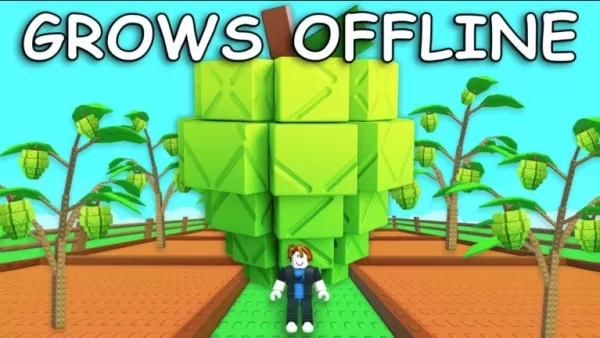
How to Join Old Servers in Grow A Garden
Server Browsing and Manual Joining
A straightforward way to find an old server is by using the Roblox server list:
Visit the Grow A Garden game page.Scroll down to the “Servers” section.Click “Load More Servers” multiple times.Search for servers with very few players or those that have been active for a long time.
Sometimes, an old server may be nearly empty because players left after an update. Trying servers with low player counts (1-5 players) increases your chance of joining one that hasn't reset. This approach involves some trial and error but can be effective, especially right after an update when some servers are still running the previous version.
Using Roblox Extensions
Browser extensions like RoPro, BTRoblox, or Roblox+ provide advanced server filtering options. These tools let you search servers by player count, ping, and sometimes sort them by activity level. Look for servers with 0 or 1 players, as these are less likely to have restarted. Some extensions also show the last refresh time, helping identify older servers.
You can also enjoy Grow a Garden and similar Roblox games on a larger PC or laptop screen using BlueStacks, along with your keyboard and mouse.
Continue advancing in Roblox Grow a Garden with our other detailed guides:
Roblox Grow a Garden Beginner's Guide and Tips
How to Unlock and Use Special Seeds and Plants in Grow a Garden
Grow a Garden Gear Guide: Essential Tools for Farming Success
Latest Articles
Trending Games



![Taffy Tales [v1.07.3a]](https://imgs.anofc.com/uploads/32/1719554710667e529623764.jpg)






Top News









Latest Games