Дом Новости Roblox Garden: Как присоединиться к старым серверам

Roblox Garden: Как присоединиться к старым серверам

Автор : Elijah Обновлять : Dec 30,2025

Grow A Garden on Roblox — это увлекательная, расслабляющая песочница-ферма, где игроки выращивают растения, обустраивают свои садовые участки и общаются с другими садоводами. По умолчанию вы каждый раз попадаете на новый сервер, так как Roblox обычно отдаёт этому приоритет. Хотя в самой игре нет прямого способа зайти на старый сервер, существует несколько обходных путей, доказавших свою эффективность для многих игроков. Узнайте, как это сделать, ниже!

Зачем присоединяться к старому серверу в Grow a Garden?

Прежде чем изучать, как попасть на старый сервер, давайте подумаем, зачем игрокам это может быть нужно. Grow a Garden — любимый многими симулятор фермерства в Roblox, где вы выращиваете урожай, собираете семена и со временем улучшаете свой сад. Это соревновательная и зависимая от времени игра, где прогресс часто зависит от того, насколько быстро вы получаете новые семена и открываете зоны для фермерства. Присоединение к старым серверам может значительно улучшить ваш игровой опыт. На таких серверах обычно меньше игроков, обновлены магазины семян и есть возможность найти редкие или пополненные предметы. Преимущества входа на старый сервер включают:

Предметы в магазине семян — На старых серверах с небольшим количеством активных игроков магазины семян часто полностью укомплектованы, что помогает вам продвигаться быстрее, чем на обычных серверах. Меньше конкуренции — Поскольку время и эффективность являются ключевыми факторами в этой соревновательной игре, игра на старом сервере с малым числом активных игроков может стать серьёзным преимуществом. Меньше лагов — Меньшее количество игроков на сервере означает меньшую задержку и более плавный игровой процесс. Повторение событий — Иногда на старых серверах сохраняются особые ошибки или возможности дублирования семян после определённых событий или пополнений.
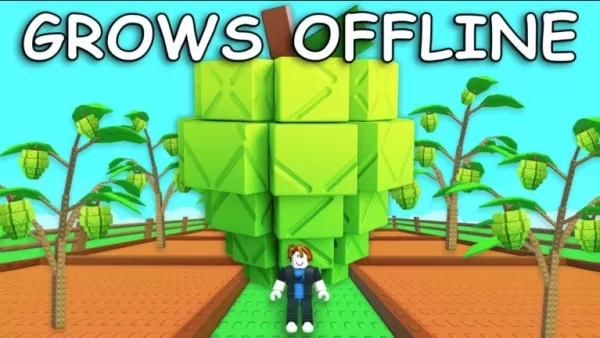
blog-image-GrowAGarden_Guide_OldServer_EN02

Как присоединиться к старым серверам в Grow A Garden

Просмотр серверов и ручное присоединение

Прямой способ найти старый сервер — использовать список серверов Roblox:

Перейдите на страницу игры Grow A Garden.Прокрутите вниз до раздела «Серверы».Нажмите «Загрузить больше серверов» несколько раз.Ищите серверы с очень малым количеством игроков или те, что активны уже давно.

Иногда старый сервер может быть почти пустым, потому что игроки покинули его после обновления. Попытки зайти на серверы с низким числом игроков (1-5 человек) увеличивают ваши шансы присоединиться к тому, который ещё не сбросился. Этот подход предполагает некоторый метод проб и ошибок, но может быть эффективным, особенно сразу после обновления, когда некоторые серверы всё ещё работают на предыдущей версии.

Использование расширений для Roblox

Браузерные расширения, такие как RoPro, BTRoblox или Roblox+, предоставляют расширенные варианты фильтрации серверов. Эти инструменты позволяют искать серверы по количеству игроков, пингу, а иногда и сортировать их по уровню активности. Ищите серверы с 0 или 1 игроком, так как они с меньшей вероятностью были перезапущены. Некоторые расширения также показывают время последнего обновления, помогая идентифицировать старые серверы.

Вы также можете наслаждаться игрой Grow a Garden и подобными проектами в Roblox на большом экране ПК или ноутбука с помощью BlueStacks, используя клавиатуру и мышь.

Продолжайте совершенствоваться в Roblox Grow a Garden с помощью наших других подробных руководств:

Руководство для начинающих и советы по Roblox Grow a Garden

Как разблокировать и использовать специальные семена и растения в Grow a Garden

Руководство по снаряжению в Grow a Garden: необходимые инструменты для успеха в фермерстве

Последние статьи

Более
As of now, Malenia, Blade of Miquella, remains a legendary and brutally difficult boss in Elden Ring, and her strength has not been officially nerfed by FromSoftware or Bandai Namco. In fact, her status as one of the hardest bosses in the game has only grown in popularity among players. However, your statement — "Elden Ring Player Races to Solo Malenia Before Nerf" — taps into a fascinating and ongoing community conversation. Here’s what’s actually happening: 🔥 Why Players Are Rushing to Solo Malenia Malenia is considered the hardest boss in the game, and many players want to achieve the “true ending” or complete the game on their own terms before any future changes. Rumors of a nerf have circulated heavily on forums like Reddit, Discord, and YouTube. While no official patch has lowered her difficulty, some fans believe FromSoftware might adjust her mechanics in a future update (e.g., adjusting her phase transitions, reducing her damage scaling, or tweaking her HP) to make her more accessible. She is not permanently unchangeable. Game developers do adjust content post-launch, especially in live-service or community-driven games. Though Elden Ring is not a live-service title, a small balance patch could still occur. 🏁 The "Before Nerf" Motive: Myth vs. Reality No nerf has occurred yet. As of late 2024, Malenia remains exactly as she was at launch — a near-mythical, two-phase boss that demands perfect builds, timing, and mastery. The "nerf" fear is mostly psychological. Many players are driven by the desire to be the first or the only to beat her solo on a specific build (e.g., pure Dexterity, no incantations, no summons) before "the world" changes. There’s a strong community culture around "perfection." Players want to experience Malenia as she was meant to be — unforgiving, awe-inspiring, and legendary. 🎮 Real-Life Examples Players like Schrödinger, Pandemic, and Katie (of Hallow’s End fame) have streamed or posted videos of their first solo Malenia wins — often under extreme difficulty conditions. Some are even attempting 100% completion without using any healing items, or doing it on foot with no mount, purely for prestige. 📌 Final Takeaway While there's no official nerf on the horizon, the phrase "race to solo Malenia before nerf" reflects a deep cultural moment in Elden Ring fandom — a race against time, myth, and the fear of change. So if you're planning to challenge Malenia, go ahead. But know this: the real victory isn’t beating her — it’s doing it on your own terms, before anyone else says, “that’s not how it used to be.” 🔥 May your build be strong, your dodge perfect, and your soul unbroken. Чтение
It sounds like you're mixing a few different topics — Pokémon games, MSI desktops, and The Legend of Zelda: Breath of the Wild (often referred to as "Zelda Sword" in casual talk). Let me help clarify or connect the dots based on what you might be asking: 🎮 Switch Pokémon Games If you're looking to play Pokémon on the Nintendo Switch, here are some key titles: Pokémon Sword and Shield (2019) – Released on Switch, features the Galar region and Dynamax battles. Pokémon Brilliant Diamond and Shining Pearl (2021) – Remakes of the classic Pokémon Diamond and Pearl, set in the Sinnoh region. Pokémon Legends: Arceus (2022) – A groundbreaking open-world Pokémon game set in the Crown Tundra and Hisui region. Note: Pokémon Sword and Shield and Legends: Arceus are exclusive to the Switch. 💻 MSI Desktops MSI is a popular brand for gaming PCs and desktops. If you're thinking about pairing an MSI desktop with your Switch: You can use an MSI gaming desktop to play Pokémon games via emulators (like Pokémon Emerald on Dolphin) or even stream Switch games via NVIDIA GameStream or Steam Remote Play. Some MSI desktops (e.g., the MAG, GF, or parts of the Vector series) are powerful enough to handle modern Pokémon games or even emulated older ones. ⚠️ Important: Emulating Switch games (like Pokémon Sword) on a desktop is technically possible but may involve legal and ethical concerns due to copyright and piracy. ⚔️ Zelda Sword (likely referring to The Legend of Zelda: Breath of the Wild or The Legend of Zelda: Tears of the Kingdom) Breath of the Wild (2017) – Released on Switch, praised as one of the greatest video games ever. Tears of the Kingdom (2023) – The direct sequel, also on Switch. These are not Pokémon games, but they do run on the same Nintendo Switch console. Many fans enjoy both franchises, especially since both feature open-world exploration and adventure. 🔍 Summary: You can play Pokémon Sword and Shield, Brilliant Diamond, and Legends: Arceus on the Switch. MSI desktops can be used for gaming, including emulating older Pokémon games or playing other titles like Zelda: Breath of the Wild (if streamed). Zelda: Sword likely refers to Breath of the Wild or Tears of the Kingdom, not a Pokémon game. 💬 If you have a specific question like: "Can I play Pokémon Sword on an MSI desktop?" "What's the best MSI desktop to play Switch games on?" "Which Switch Pokémon game is best for beginners?" Let me know — I’ll help you pick the right setup! 😊 Чтение
MLB The Show 26: Go! Launches – A New Era of Baseball Strategy Game Begins Get ready to step up to the plate like never before—MLB The Show 26: Go! has officially launched, bringing a fresh wave of strategy, realism, and innovation to baseball fans worldwide. Developed by Sony Interactive Entertainment and published by MLB, this year’s installment elevates the franchise to new heights with groundbreaking gameplay mechanics, immersive visuals, and a dynamic new "Go!" mode designed for fast-paced, tactical decision-making. Key Features of MLB The Show 26: Go! ⚾ Go! Mode – The Ultimate Tactical Challenge Introducing Go!, a new gameplay mode built for players who crave strategy and speed. In Go! mode, every pitch, steal, and baserunning decision carries higher stakes. Managers must think ahead—adjusting defensive alignments, calling smart pitch sequences, and exploiting opponent weaknesses in real time. It’s baseball at its most cerebral. ⚾ Enhanced AI and Player Intelligence Thanks to advanced machine learning, players now react more naturally to in-game situations. Batters adjust their stance based on pitch location, pitchers mix in new pitch types mid-inning, and base runners make smarter read decisions. The game feels alive, like a real MLB contest. ⚾ Next-Gen Graphics and Physics Powered by the Unreal Engine 5, MLB The Show 26: Go! delivers jaw-dropping visuals—from lifelike facial animations to real-time stadium lighting and weather effects. The new physics engine makes every collision, catch, and home run feel authentic. ⚾ Expanded Career Mode & Franchise Evolution Players can now shape their journey from rookie to legend, with deeper team-building mechanics and evolving player relationships. Choose your path: become a superstar slugger, a master tactician on the mound, or a leadership-driven manager. ⚾ Cross-Platform Play (Beta) For the first time in the series, MLB The Show 26: Go! offers limited cross-platform play between PlayStation 5 and select mobile devices (via cloud streaming), allowing fans to jump into a game on the go—perfect for busy seasons. ⚾ New Soundtrack and Broadcast Experience A curated soundtrack featuring indie rock, hip-hop, and classic baseball anthems sets the tone. Plus, the broadcast team delivers real-time commentary that reacts dynamically to in-game events, from walk-offs to record-breaking home runs. Availability MLB The Show 26: Go! is now available on PlayStation 5 and via cloud streaming on select mobile platforms. A special "Go! Collector’s Edition" includes exclusive in-game content, digital artwork, and a 30-day premium subscription to MLB.TV. Final Pitch “Baseball isn’t just a game—it’s a mindset. And in MLB The Show 26: Go!, every decision counts.” – Sony Sports Creative Director Whether you’re a lifelong fan or new to the diamond, MLB The Show 26: Go! isn’t just a game—it’s a full-contact experience. Step up. Play smart. Go! 👉 Download now on PlayStation 5 and via cloud on supported devices. The Show goes on—don’t miss a single pitch. Чтение