Steam Deck、ゲームボーイ対応を開始
クイックアクセス
Steam Deckは卓越した汎用性を提供し、最新タイトルを簡単に処理しながら、EmuDeckを通じて究極のレトロゲーム機としても機能します。このガイドでは、Valveのハンドヘルド機を優れたゲームボーイエミュレーターに変える方法を説明します。
技術的な制約があるにもかかわらず、ゲームボーイの名作は注目すべきデザインの技巧を示しています。この包括的な手順に従って、Steam Deckの鮮やかなディスプレイでこれらのピクセルパーフェクトな冒険を体験してください。
2024年1月13日 Michael Llewellyn更新: ゲームボーイのエミュレーションは要求が厳しくありませんが、最適なパフォーマンスには、SMT設定を精密に制御するためのDecky LoaderとPower Toolsのインストールが必要です。この改訂版には、詳細なプラグインのセットアップ手順と更新後の復旧手順が含まれています。
前提条件
EmuDeckのインストールを開始する前に、以下の必需品を用意してください:
- 充電済みのSteam Deck
- ストレージ用のA2認定microSDカード
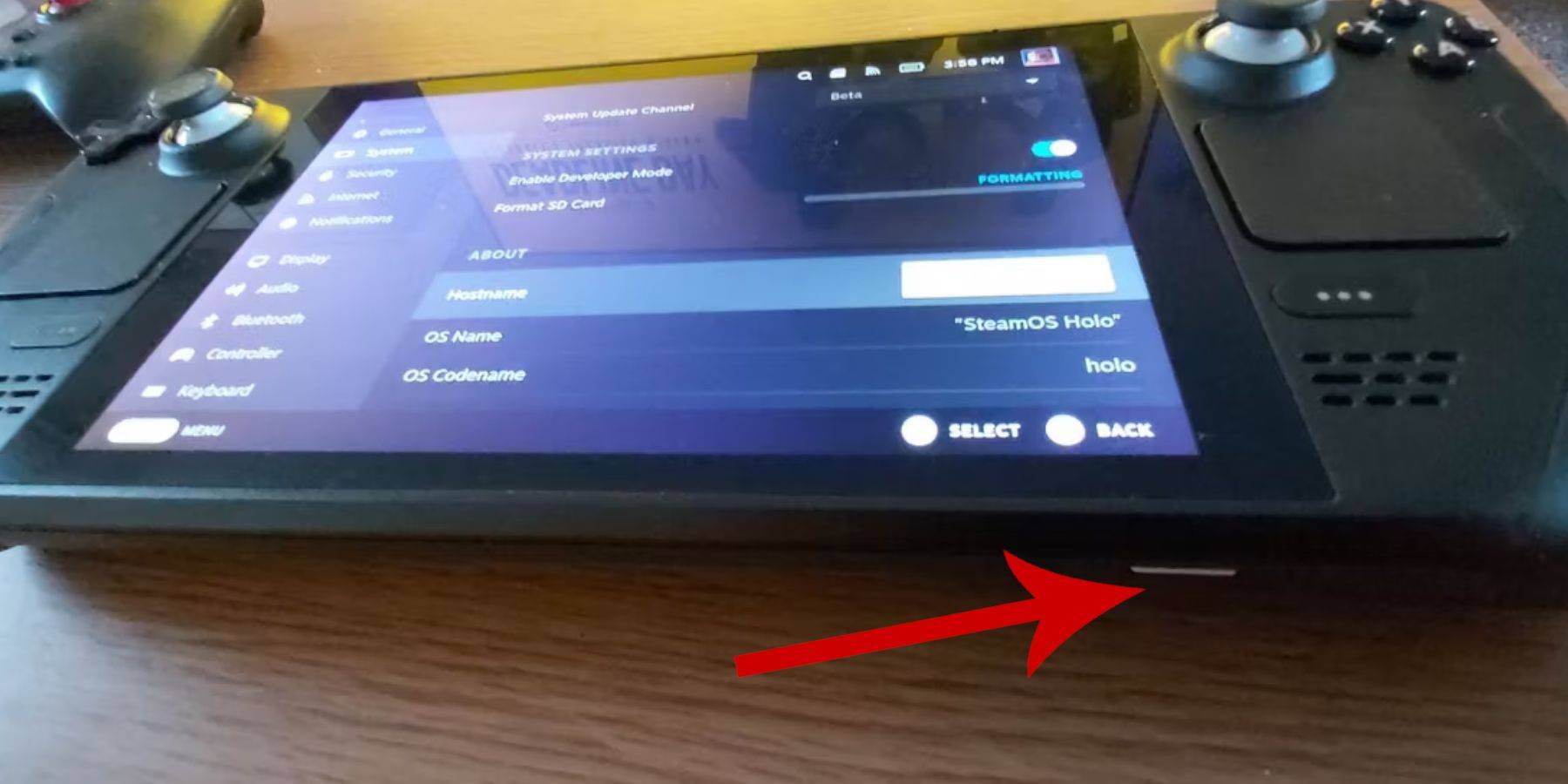
- 正当なゲームボーイROMのバックアップ
- 入力周辺機器(Bluetooth/有線キーボード+マウス)
デベロッパーモードの有効化
- Steamボタンを押す
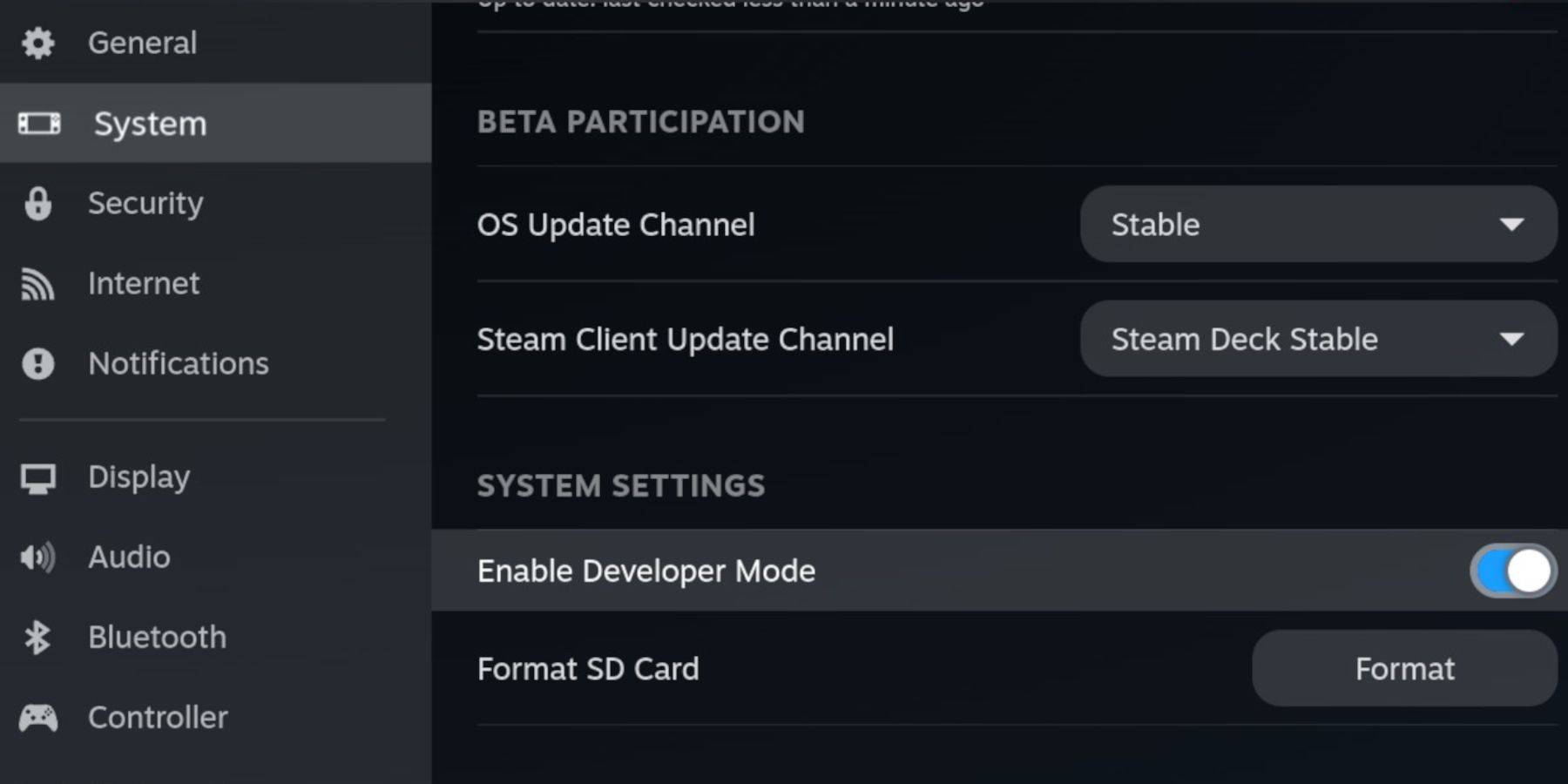
- システム → デベロッパーモードを有効にする に移動
- デベロッパーメニュー → CEFデバッグを有効にする にアクセス
- 電源 → デスクトップモードに切り替え を選択
- 代替方法: Steamボタン → 電源 → デスクトップモード
デスクトップモードでのインストール

- 入力デバイスを接続
- ブラウザ(Firefox/DuckDuckGo)を起動
- EmuDeck(Steam OS版)をダウンロード
- カスタムインストール → 主要SDカード を選択
- エミュレーターを選択(RetroArch、Emulation Station、Steam ROM Manager)
- 自動セーブを有効にする → インストールを完了
基本設定
- EmuDeckのクイック設定にアクセス
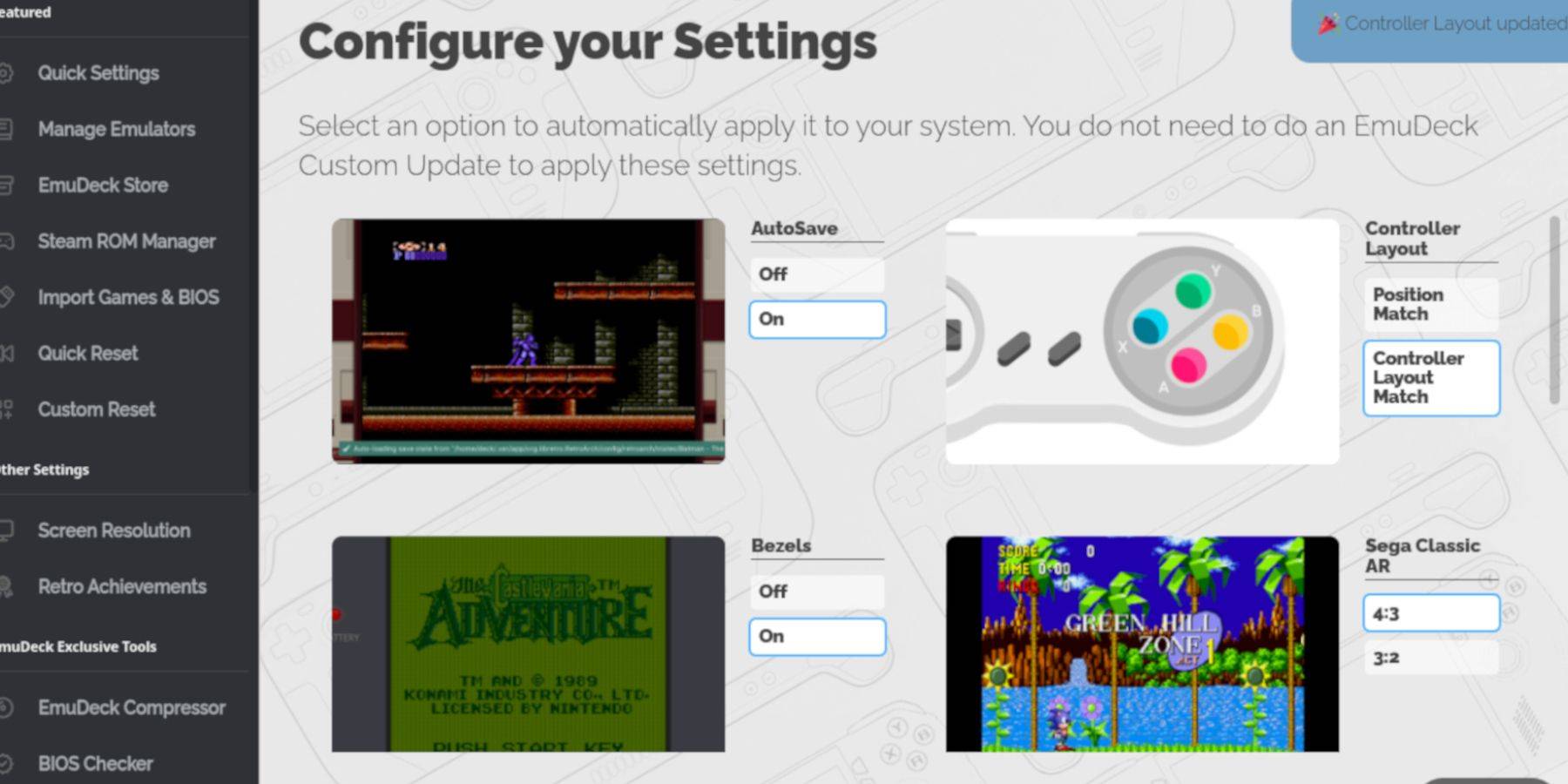
- 自動セーブを有効にする
- コントローラーレイアウトマッチを設定
- 視覚的強化(ベゼル/ Nintendo Classic AR)を有効にする
- LCDハンドヘルドオプションを有効にする
ROMの統合

以下の手順でゲームボーイコレクションを整理:
- Dolphinファイルマネージャーを開く
- 移動: リムーバブルデバイス → 主要 → エミュレーション → ROMS → gb
- 適切なファイル命名規則(.gb拡張子)を確認
- 指定のフォルダにROMを転送
対応ファイル形式
.gb
ライブラリ統合
ゲームをSteamライブラリに追加:
- Steam ROM Managerを起動
- Steamクライアントの終了を確認
- Toggle Parsersを無効化
- ゲームボーイカテゴリを選択
- 追加を処理 → Steamに保存
- ゲーミングモードに戻る
ゲーム起動手順
以下の方法でレトロコレクションにアクセス:
- Steamボタン → ライブラリ
- コレクションタブ → ゲームボーイセクション
- タイトルを選択 → プレイ
表示のカスタマイズ
視覚体験を向上:
カラーオプションはタイトルによって異なります
- ゲームを起動
- Select + Y → RetroArchメニュー
- コアオプション → GBカラー化
- 自動を切り替える、または元の表示を維持
代替ランチャー

問題のあるタイトルには、Emulation Stationを利用:
- コレクション → エミュレーター → Emulation Station
- ゲームボーイセクションに移動 → 起動
- RetroArchコマンドは機能したまま
プラグインフレームワークのセットアップ

エミュレーションの精度を向上:
ナビゲーションには外部周辺機器を推奨
- デスクトップモード → GitHub Decky Loader
- ダウンロード → 推奨インストール
- ゲーミングモードに再起動
パフォーマンスプラグイン
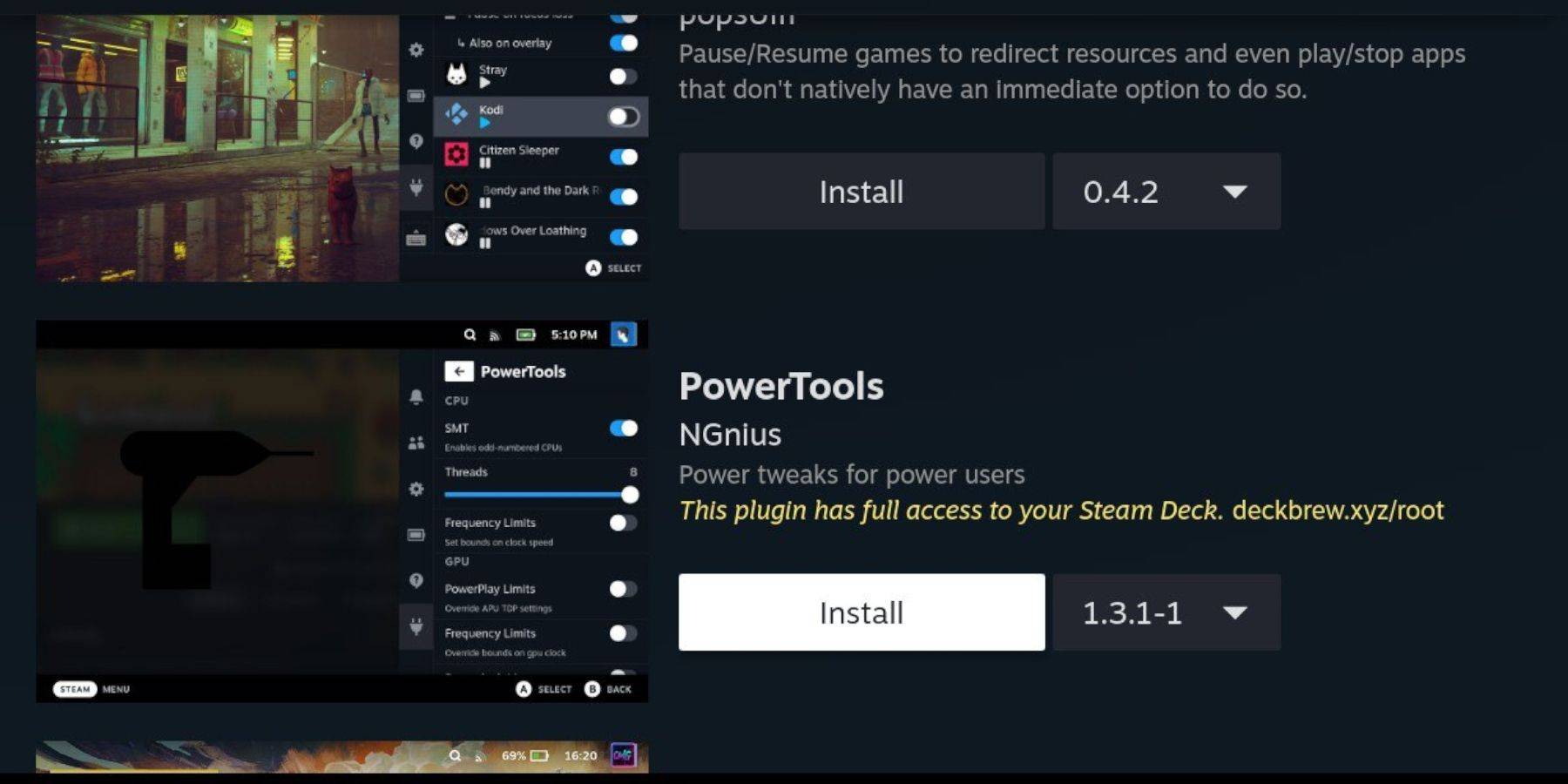
ハードウェアリソースを最適化:
- クイックアクセスメニューからDecky Storeにアクセス
- Power Toolsプラグインをインストール
最適化設定
- ゲームボーイタイトルを起動
- QAM → Power Tools
- SMTを無効化
- スレッドを4に設定
- パフォーマンスメニュー → 詳細ビューを有効にする
- 手動GPUクロック制御(1200周波数)
- ゲームごとのプロファイルを有効化
システム更新後の復旧
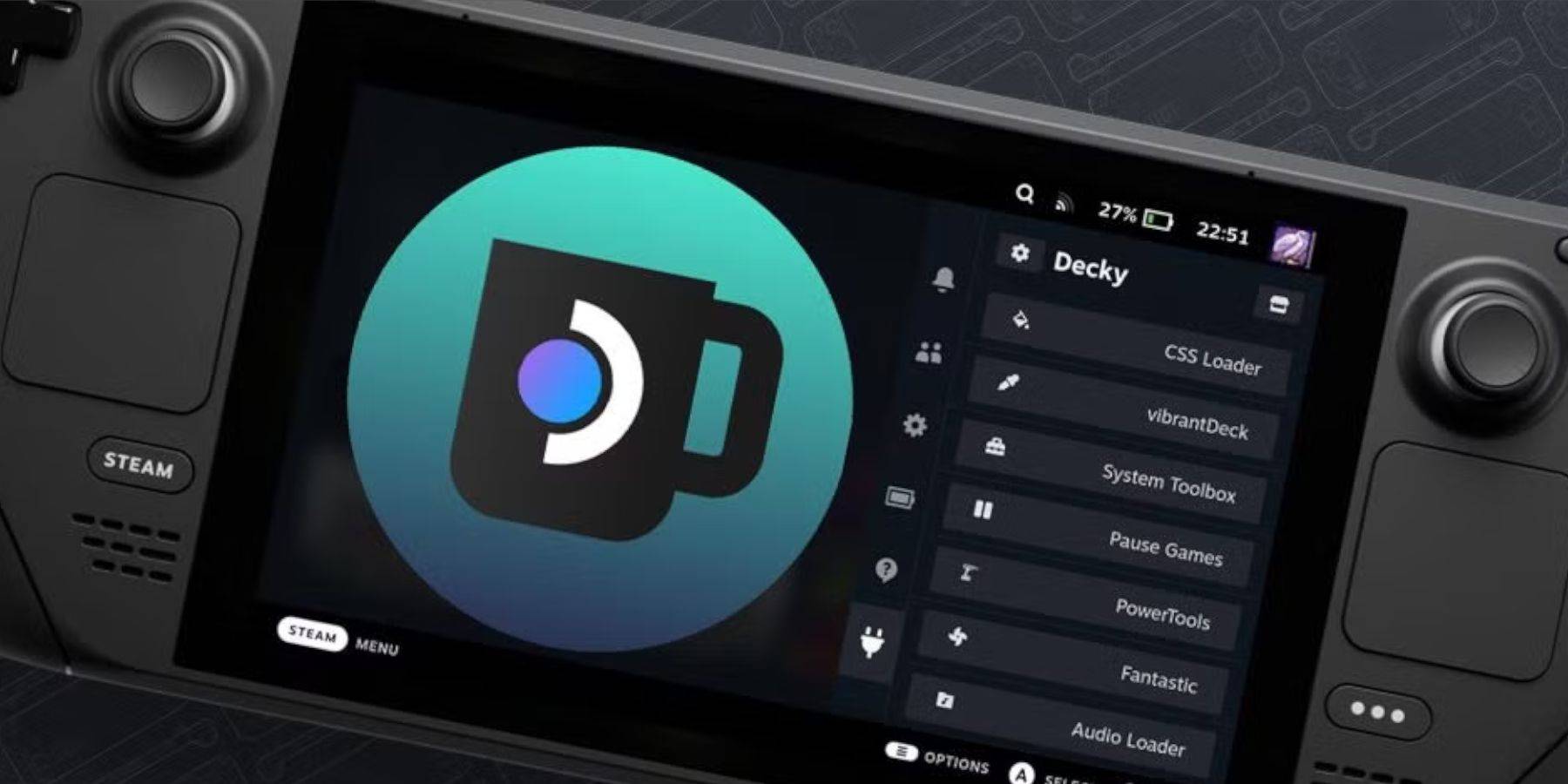
OS更新後も機能を維持:
- デスクトップモード → Decky Loaderを再インストール
- インストーラーを実行 → 疑似パスワードを入力
- 存在しない場合はパスワードを作成
- 再起動 → 復旧を確認
Steam Deckの優れたディスプレイとコントロールにより、現代的な利便性を備えたゲームボーイクラシックを体験する卓越したプラットフォームとなっています。
 今すぐ評価
今すぐ評価コメントの送信に失敗しました
最新記事
Vampire Survivors Gets Major Upgrade
Get ready for a blood-soaked evolution—Vampire Survivors has just received a massive, fan-fueled overhaul, and it's better than ever.
The beloved roguelike survival game, originally known for its deceptively simple premise—survive waves of enemies while unlocking increasingly absurd abilities—has just dropped a sweeping update that redefines what it means to "survive" against endless hordes.
🔥 What’s New in the Major Upgrade?
The New "Bloodline" System
Players now choose from five unique Bloodlines at the start of each run, each offering a radically different playstyle:
Sanguine Warden: Defensive, tanky builds with area-control abilities.
Phantom Fang: High-speed, stealth-based assassins who phase through enemies.
Crimson Prophet: Spell-casting mages with devastating AoE effects.
Ghoul Engineer: Builds that summon drones and turrets mid-combat.
Eternal Hunger: A relentless, self-sustaining survivor that grows stronger by devouring enemies.
Dynamic Environment Zones
The game world now features shifting biomes between runs—graveyards, moonlit forests, haunted cities, and even abandoned space stations. Each zone alters enemy spawns, terrain hazards, and power-up availability.
Perk Tree Overhaul
The old passive upgrade system has been replaced with a branching Legacy Tree, allowing players to specialize in up to three mastery paths per run (e.g., "Shadow Mastery," "Arcane Surge," "Ravenous Instinct").
Co-Op Mode (Yes, You Can Play With a Friend!)
For the first time ever, Vampire Survivors introduces a local or online co-op mode. Two players can team up, combining abilities in glorious chaos—imagine a phantom fang dodging bullets while a ghoul engineer summons a wall of exploding skulls.
New Bosses & Endgame Challenges
Four new legendary bosses have been added, each with unique mechanics:
The Hollow King – A time-manipulating entity that reverses player movement every 30 seconds.
Lustre of the Abyss – A floating eye that steals your upgrades and forces you to rebuild from scratch.
Nightmare Revenant – A personal nightmare that mirrors your every move.
Visual & Audio Overhaul
A full graphical refresh brings the game to life with dynamic lighting, particle effects, and a haunting new soundtrack composed by the legendary Doom soundtrack artist.
New Game+ & Legacy Progression
After completing the main campaign, players unlock Legacy Mode, where they carry over unlocked abilities, unlockable skins, and unlockable Bloodline mutations. Each new Game+ run becomes exponentially harder—with new modifiers and randomized global events.
🧛♂️ Why Fans Are Losing Their Minds
"I just beat the Hollow King on Game+ with a Phantom Fang + Sanguine Warden hybrid. I don’t know if I’m a legend or just a madman. Either way, I’m not stopping." – Reddit user /u_VampSurvivor99
"The new co-op mode is insane. I died to a swarm of ghost knights, but my friend pulled me back with a healing nova. We’re now in the top 100 on the global leaderboards." – Twitter
✅ Availability
The update is now live on PC (Steam, Itch.io), PlayStation 5, Xbox Series X|S, and Nintendo Switch. The base game remains free, with a $14.99 "Vampiric Legacy Edition" that includes exclusive skins, music, and early access to future content.
Final Verdict:
Vampire Survivors has evolved from a quirky indie gem into a full-blown genre-defining experience. With deeper mechanics, richer lore, and more chaos than ever, this is no longer just a survival game—it’s a blood-soaked epic of endurance, strategy, and absurd power fantasy.
Ready to survive? Or are you ready to rule over the night?
🌙 The night is yours.
読む
It seems you're referencing "Sony State of Play," which is Sony's regular showcase event highlighting new games, updates, and announcements for PlayStation platforms. However, your message appears to be incomplete or possibly a placeholder.
Could you clarify what you'd like to know? For example:
Are you asking about a specific game announced during a recent State of Play?
Do you want a summary of the latest Sony State of Play event?
Are you looking for rumors, trailers, or release dates?
Let me know so I can help! 🎮 PlayStation 5 news is always exciting—whether it's Horizon Forbidden West, Final Fantasy VII Rebirth, God of War Ragnarök, or upcoming reveals like The Last of Us Part III or Spider-Man 3—I’ve got the details.
読む



![Taffy Tales [v1.07.3a]](https://imgs.anofc.com/uploads/32/1719554710667e529623764.jpg)