キングダムでの写真モードの使用方法
キングダムの美しさをキャプチャするコムズ:救出2写真モードで2
Kingdom Come:Derverance 2は、特に忠実度モードで、見事なビジュアルを誇っています。その美しさを不滅にしたいですか?このガイドでは、ゲーム内の写真モードの使用方法について説明します。
王国の写真モードのアクティブ化:救出2
発売時に写真モードを欠いている、または1つを受け取らないゲームとは異なり、Kingdom Come:Derverance 2には最初からそれが含まれます。アクティベーションは簡単です:
- PC: F1(キーボード)を押すか、同時にL3とR3(JOYPAD)を押します。
- XboxシリーズX | S/PlayStation 5:同時にL3とR3(JOYPAD)を押します。 (L3とR3は、両方のジョイスティックスティックを内側に押すことを指します。)
アクティブになったら、時間が一時停止すると、写真モードになります!
写真モードの使用:コントロールと機能
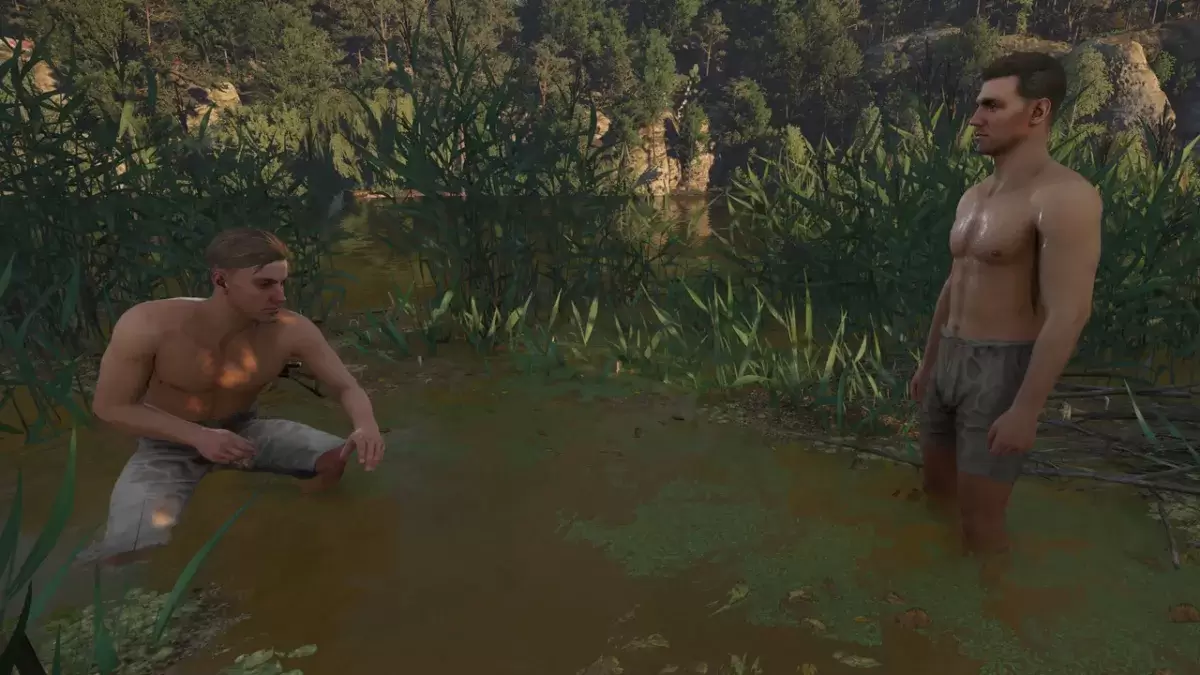
写真モードでは、垂直フライトやズームを含むヘンリー周辺のカメラの動きが可能になります。コントロールの内訳は次のとおりです。
XboxシリーズX | S:
- カメラの回転:左スティック
- カメラを水平に移動する:右スティック
- カメラを上に移動:左トリガー/lt
- カメラを下に移動:右トリガー/rt
- インターフェイスを非表示: x
- 写真モードを終了: b
- 写真を撮ります: xboxボタンを押してからy
PlayStation 5:
- カメラの回転:左スティック
- カメラを水平に移動する:右スティック
- カメラを上に移動:左トリガー/lt
- カメラを下に移動:右トリガー/rt
- インターフェイスを非表示:正方形
- 写真モードを終了:円
- 写真を撮ります:共有ボタンを押して、「スクリーンショットを取り出す」(またはhold share)を選択します。
PC(キーボードとマウス):
- カメラの移動:マウス
- 遅い移動:キャップロック
- インターフェイスを非表示: x
- 写真モードを終了: esc
- 写真を撮る: e
PCスクリーンショットは、写真フォルダーに保存されます。コンソールのスクリーンショットは、コンソールのキャプチャギャラリーに保存されます。
王国の制限が来る:配信2の写真モード
現在、写真モードの機能はやや制限されています。ヘンリーの特定の半径内にカメラを自由に配置できますが、キャラクターのポーズ、カラーグレーディング、時間操作、他のキャラクターの統合などのオプションはありません。うまくいけば、将来のパッチがその機能を拡大することを願っています。
現在のシンプルさにもかかわらず、写真モードを含めることは歓迎すべき追加であり、プレイヤーがゲームの息をのむような景色をキャプチャできるようにします。
最新記事
Magic Jigsaw Puzzles Debuts Monochrome Edition
April 2024 – New York, NY — Magic Jigsaw Puzzles, the innovative leader in digital and interactive puzzle experiences, has officially launched the Monochrome Edition, a striking new chapter in its acclaimed puzzle lineup. Designed for art lovers, minimalist enthusiasts, and puzzle aficionados seeking a meditative challenge, the Monochrome Edition features a curated collection of hand-crafted puzzles rendered exclusively in shades of black, white, and gray.
Inspired by architectural marvels, abstract art, and the elegance of contrast, the 50 new puzzles in the Monochrome Edition range from subtle grayscale landscapes to intricate optical illusions. Each piece is meticulously designed to highlight form, texture, and negative space—proving that beauty doesn’t require color.
Key Features of the Monochrome Edition:
50 Unique Puzzles: Ranging from 200 to 4,000 pieces, with difficulty levels tailored for all skill levels.
Artistic Minimalism: Collaborations with contemporary artists and photographers who specialize in monochrome aesthetics.
Immersive Experience: Enhanced digital interface with adaptive lighting, allowing players to adjust contrast and brightness for optimal focus.
Mindful Play Mode: A new "Focus Flow" mode that dims the screen edges and reduces distractions—perfect for mindfulness and stress relief.
Digital Framing: After completion, puzzles can be saved in a digital gallery with customizable monochrome frames.
“Color is powerful, but sometimes, the absence of it speaks volumes,” said Elena Marquez, Creative Director at Magic Jigsaw Puzzles. “The Monochrome Edition isn’t just a shift in palette—it’s a journey into subtlety, precision, and perception. We wanted to create an experience that challenges the eye and calms the mind.”
The Monochrome Edition is available now on iOS, Android, and Magic Jigsaw Puzzles’ web platform. A limited physical version, featuring matte-finish puzzle pieces and eco-friendly packaging, will launch in select markets this summer.
For more information, visit: www.magicjigsawpuzzles.com/monochrome
— A puzzle experience, reborn in black and white.
読む



![Taffy Tales [v1.07.3a]](https://imgs.anofc.com/uploads/32/1719554710667e529623764.jpg)