BluestacksでPCまたはMacでLords Mobileをプレイする方法
Lords Mobileは、強力な城を建設し、風変わりなモンスターと兵士の恐ろしい軍隊を訓練し、他のプレイヤーとのスリリングな戦いに従事する(または、予期せぬ同盟を築く)、広大な王国戦略ゲームにあなたを突っ込みます。広大な世界を探索し、木や鉄などの重要なリソースを集め、王国の強さを強化するために強力なアップグレードを研究してください。 Lords Mobileでは、あなたはビルダー、戦士、そしてリーダーがすべて1つに転がりました!
Lords MobileをPCにインストールします
- ゲームのページにアクセスして、[PCのPlay Lords Mobile]ボタンをクリックします。
- Bluestacksをインストールして起動します。
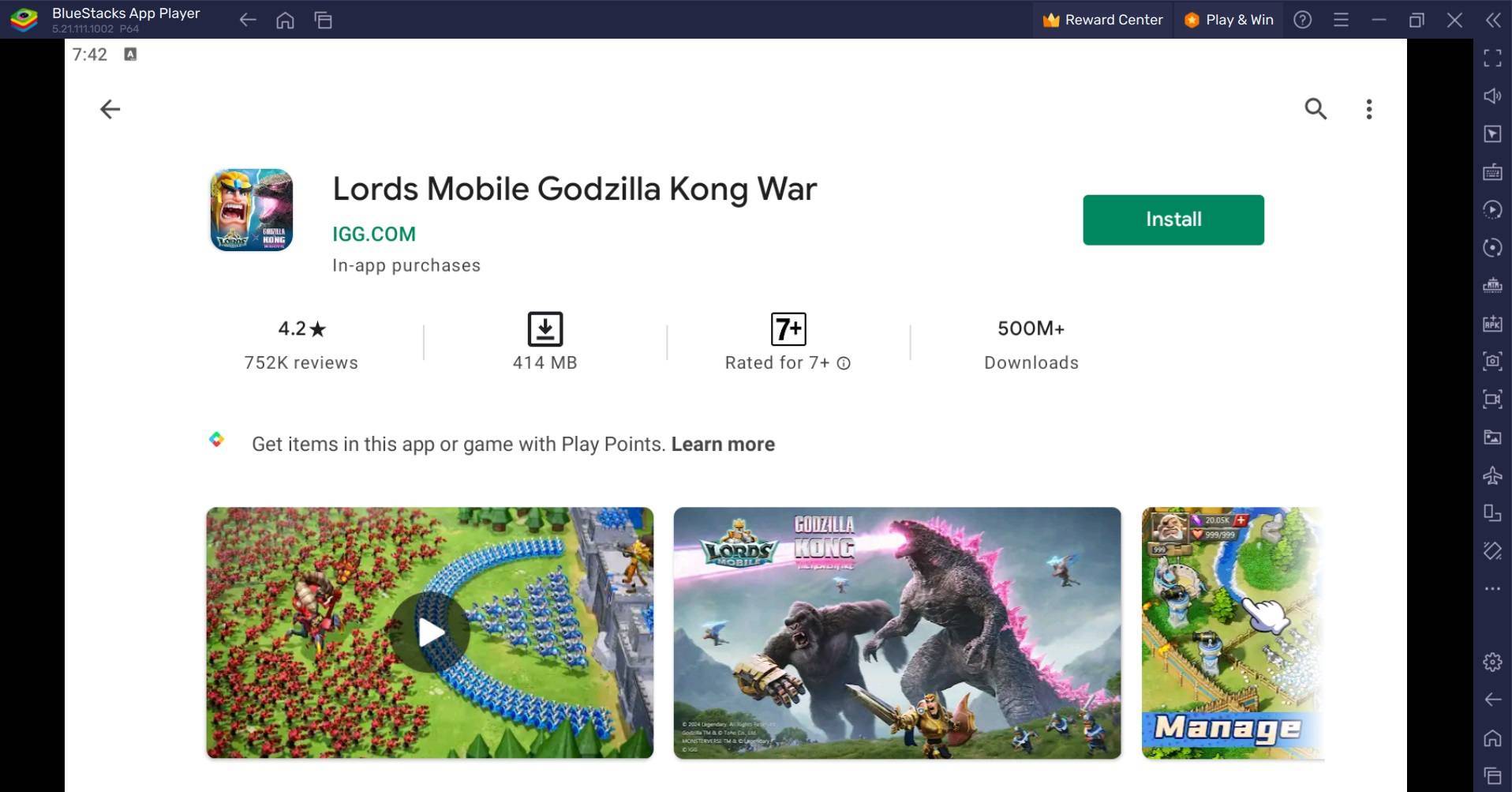
- Google Playストアにサインインしてゲームをインストールします。
- プレイを始めましょう!
Bluestacks Airを備えたMacにLords Mobileをインストールします
- BlueStacks Airをダウンロード:公式Bluestacks Webサイトに移動し、「Bluestacks Airのダウンロード」をクリックします。
- Bluestacks Airをインストール:ダウンロードした.DMGファイルを開き、BlueStacksアイコンをアプリケーションフォルダーにドラッグします。
- 起動とサインイン: LaunchPadまたはApplicationsフォルダーからBlueStacks Airを開き、Googleアカウントにサインインします。
- Lords Mobileのインストール: PlayStoreでLords Mobileを検索してインストールします。
- 遊んで楽しんでください!ゲームを開始して、征服を始めましょう!
すでにブルーストックをインストールしている人のために
- PCまたはMacでBluestacksを起動します。
- ホーム画面検索バーでLords Mobileを検索します。
- 関連する結果をクリックします。
- ゲームをインストールして再生を開始します。
最小システム要件
Bluestacksは非常に用途が広く、幅広いシステムで実行されますが、最小要件は次のとおりです。
- OS: Microsoft Windows 7以降、MacOS 11(Big Sur)以上。
- プロセッサ: Intel、AMDプロセッサ、またはAppleシリコンプロセッサ。
- RAM: 4GBのRAM以上。
- ストレージ: 10GBの無料ディスクスペース。
- 許可: PCまたはMacでの管理者アクセス。
- グラフィックドライバー: MicrosoftまたはChipsetベンダーの最新のグラフィックスドライバー。
詳細については、Lords Mobile Google Play Storeページをご覧ください。より深い洞察、ヒント、戦略については、ゲーム上の包括的なBluestacksブログを探索してください。キーボードとマウスの精度を持つより大きな画面でLordsモバイルを体験してください。Bluestacksであなたのやり方でプレイしてください!
最新記事
Magic Jigsaw Puzzles Debuts Monochrome Edition
April 2024 – New York, NY — Magic Jigsaw Puzzles, the innovative leader in digital and interactive puzzle experiences, has officially launched the Monochrome Edition, a striking new chapter in its acclaimed puzzle lineup. Designed for art lovers, minimalist enthusiasts, and puzzle aficionados seeking a meditative challenge, the Monochrome Edition features a curated collection of hand-crafted puzzles rendered exclusively in shades of black, white, and gray.
Inspired by architectural marvels, abstract art, and the elegance of contrast, the 50 new puzzles in the Monochrome Edition range from subtle grayscale landscapes to intricate optical illusions. Each piece is meticulously designed to highlight form, texture, and negative space—proving that beauty doesn’t require color.
Key Features of the Monochrome Edition:
50 Unique Puzzles: Ranging from 200 to 4,000 pieces, with difficulty levels tailored for all skill levels.
Artistic Minimalism: Collaborations with contemporary artists and photographers who specialize in monochrome aesthetics.
Immersive Experience: Enhanced digital interface with adaptive lighting, allowing players to adjust contrast and brightness for optimal focus.
Mindful Play Mode: A new "Focus Flow" mode that dims the screen edges and reduces distractions—perfect for mindfulness and stress relief.
Digital Framing: After completion, puzzles can be saved in a digital gallery with customizable monochrome frames.
“Color is powerful, but sometimes, the absence of it speaks volumes,” said Elena Marquez, Creative Director at Magic Jigsaw Puzzles. “The Monochrome Edition isn’t just a shift in palette—it’s a journey into subtlety, precision, and perception. We wanted to create an experience that challenges the eye and calms the mind.”
The Monochrome Edition is available now on iOS, Android, and Magic Jigsaw Puzzles’ web platform. A limited physical version, featuring matte-finish puzzle pieces and eco-friendly packaging, will launch in select markets this summer.
For more information, visit: www.magicjigsawpuzzles.com/monochrome
— A puzzle experience, reborn in black and white.
読む



![Taffy Tales [v1.07.3a]](https://imgs.anofc.com/uploads/32/1719554710667e529623764.jpg)