Cómo buscar y filtrar criaturas en el inventario de Pokémon Go
Jugar Pokémon va por un tiempo y acumuló varios Pokémon, incluidos algunos raros? ¿Es tu inventario un desastre? ¡La solución es dominar la herramienta de búsqueda! Este artículo le enseña cómo usar su barra de investigación de inventario de manera eficiente y organizada.
Resumen
- Concéntrese en lo que más le guste
- Usa las etiquetas
- Presta atención a IV
- Búsqueda individual de Pokémon y habilidades
Concéntrate en el juego que más te gusta
Antes de comenzar la organización, pregúntese: "¿Con qué Pokémon me gusta jugar?" y "¿Qué tipo de contenido prefiero?" Las respuestas definen sus prioridades y muestran qué Pokémon son realmente importantes. Algunos pueden ser raros, pero si no los usa, puede no ser necesario mantenerlos visibles en el inventario.

Etiquetas
En el inventario, use la función "Etiqueta". Cree etiquetas para separar Pokémon útiles de inútil. Separe su favorito, los más raros, los que más usa, y así sucesivamente. Lo importante es usar etiquetas para que facilite * su * organización.
También marque Pokémon para futuras evoluciones o aquellas fuertes en el objetivo actual (¡recuerde que el objetivo cambia a menudo!).

Presta atención a IV
Mantenga Pokémon con IV 4 y IV 3, ya que pueden ser útiles en el futuro. Para encontrarlos, escriba "*4" o "*3" en la barra de búsqueda.
¡No deseche Pokémon que pueda volverse relevante en el objetivo futuro! Consulte estadísticas de jugadores experimentados para tomar decisiones informadas.
Búsqueda individual de Pokémon y habilidades en inventario
Para ver un tipo específico, escriba el nombre en la barra de búsqueda. Para ver Pokémon con Modificadores de ataque y defensa 1, escriba "1atach" o "1defesa".
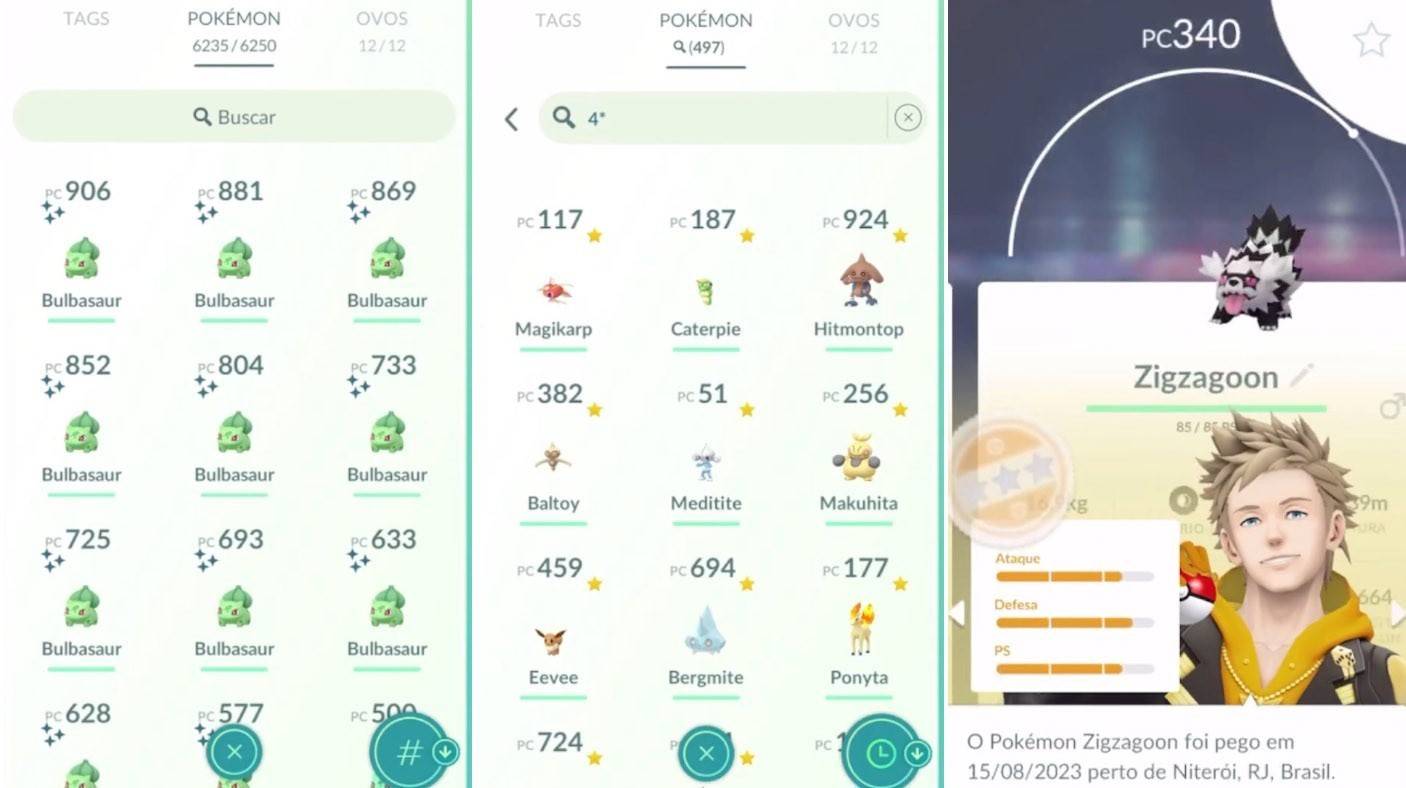
Para encontrar Pokémon para la evolución, use "Tipo y evolucione". Por ejemplo, "Dark & Evolve" muestra Pokémon de tipo oscuro listo para evolucionar. Agregue una etiqueta para mantenerlos visibles.
¿Olvidó el nombre? Use "+" antes del nombre de la forma no volada (por ejemplo, "+pikachu"). El juego mostrará a todos los miembros de esta línea evolutiva.

Para encontrar Pokémon en una región, escriba el nombre de la región. Use "@" para definir parámetros específicos. "@3Type" muestra "tipo" tipo Pokémon con la mejor velocidad de ataque. "@Namedahability" encuentra Pokémon con la habilidad específica.

También puede buscar el número Pokédex.
La función de búsqueda es poderosa y simplifica la organización. Con esta guía, ¡puede usar esta herramienta de manera eficiente!
*Imagen principal: Teaching.com*
Últimos artículos
Juegos de tendencia



![Taffy Tales [v1.07.3a]](https://imgs.anofc.com/uploads/32/1719554710667e529623764.jpg)






Noticias principales









Últimos juegos