Дом Новости Разблокировать Аладдин в Долине Disney Dreamlight: гид

Разблокировать Аладдин в Долине Disney Dreamlight: гид
Автор : Logan Обновлять : May 04,2025

Разблокировать Аладдин в Долине Disney Dreamlight: гид

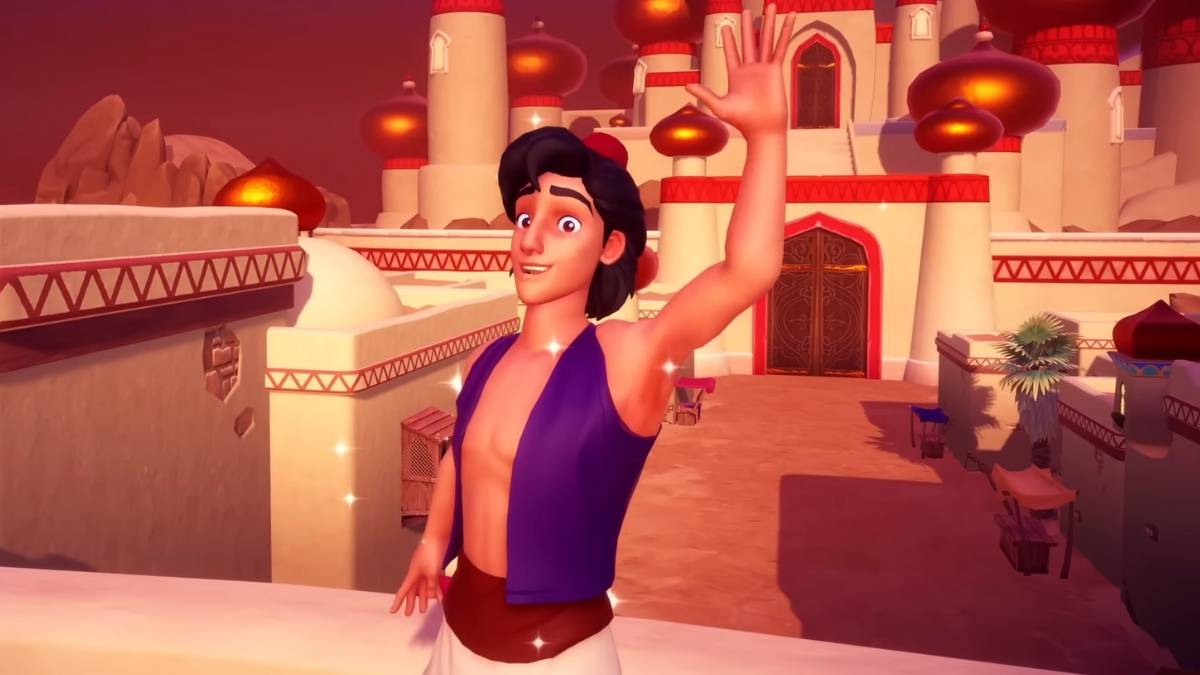
Захватывающие новости для * Disney Dreamlight Valley * Игроки: «Сказки об обновлении Аграбы» пришли, что позволило вам исследовать Аграбу и встретиться с любимыми персонажами Аладдином и принцессой Жасмин. Вот подробное руководство о том, как разблокировать Аладдина и пригласить его жить в Долине Dreamlight.

Как найти Аладдина в Agrabah Realm в Disney Dreamlight Valley

Путешествие, чтобы пригласить Аладдина в Dreamlight Valley, начинается с разблокировки его царства. Отправляйтесь на вершину замка Диснея, где вы найдете дверь, которая требует 15 000 Dreamlight, чтобы открыть. После разблокировки вы войдете на шумный рынок Аграбы.

Навигация по Аграбе может быть сложной задачей из -за бушующих песчаных бури. Начните с пересечения рыночных крыш, чтобы сначала добраться до Жасмин, затем Аладдин. Перемещайтесь через арки и поднимитесь на синюю рампу слева от вас. Взаимодействуйте с вертикальной доской, чтобы опустить его и пересечь. Используйте свою пик, чтобы прорваться через структуры, когда вы пробираетесь вниз и вверх, повторяя эти действия вдоль балкона.

Будьте осторожны с песчаными дьяволами; Прогроните их, чтобы не быть отправленным обратно в начало. Как только вы достигнете набора двойных дверей, используйте свою Pickaxe, чтобы преодолеть барьер и встретить Жасмин. Это взаимодействие начнет квест «Древние раскрытия», где Жасмин объясняет происхождение штормов и исчезновения Аладдина, наряду с затруднительным положением Волшебного ковра в долине Dreamlight.

Чтобы прогрессировать, вам нужно обновить свою пикс, чтобы уничтожить песчаные узлы. Отправляйтесь в район ремесленника, чтобы собрать три деревянные доски: одна возле знака молота от Жасмин, другой, похороненной возле Торгового ковров и большого торнадо, и последний на крыше возле большой арки. Доставить их на жасмин, сбить структуру с доской и снова поговорить с ней.

Далее вы должны собрать сплав ремесленника из трех сундуков в Аграбах. Первый находится рядом с некоторыми бочками и золотыми горшками слева от недавно потомной структуры. Возьмите снова, поместите доску возле Жасмин и откройте грудь вправо. Продолжайте движение вперед, переместите большой ствол и используйте три доска, чтобы добраться до последней сундуки. Другие доски находятся за стеной возле ствола и прислоняются к стене ко второму груди.

После разговора с Жасмином в третий раз, создайте обновление сплава сплава ремесленника за столом позади нее. Оставьте это и поговорите с ней снова. Переломайте близлежащие отложения из песчаника, следуйте за ней до южного переулка и сломайте больше песчаника. Соберите еще три доски: одна у торнадо и две на другой стороне лестницы.

С большим количеством песчаника сломана, вы наконец встретите Аладдина. Он и Жасмин обсудят ситуацию и выражают уверенность в восстановлении Аграбы. Завершите квест «Древний раскрытый» с одним последним разговором с Жасмин, затем подготовьтесь к следующему квесту, возглавляемому Аладдина.

Как пригласить Аладдина в долину в долине Disney Dreamlight

Помощь Жасмин и Аладдина в восстановлении Аграбы, вернитесь в Dreamlight Valley, чтобы установить свой новый дом. Выберите биом и поместите их дом, затем взаимодействуйте со строительным знаком Скруджа МакДука, чтобы обсудить расходы на строительство, которые составляют 20 000 звездных монет.

Жасмин первым прибудет в долину, а затем Аладдин. Каждый персонаж приносит новые квестовые линии, разрабатываемые предметы и уникальные награды через свои пути дружбы.

И вот как вы разблокируете и приглашаете Аладдина жить в *Disney Dreamlight Valley *. Наслаждайтесь изучением Аграбы и строит новые дружеские отношения!

*Disney Dreamlight Valley доступна для iOS, Nintendo Switch, ПК, PlayStation и Xbox.*

Последние статьи

Более
It sounds like you're mixing a few different topics — Pokémon games, MSI desktops, and The Legend of Zelda: Breath of the Wild (often referred to as "Zelda Sword" in casual talk). Let me help clarify or connect the dots based on what you might be asking: 🎮 Switch Pokémon Games If you're looking to play Pokémon on the Nintendo Switch, here are some key titles: Pokémon Sword and Shield (2019) – Released on Switch, features the Galar region and Dynamax battles. Pokémon Brilliant Diamond and Shining Pearl (2021) – Remakes of the classic Pokémon Diamond and Pearl, set in the Sinnoh region. Pokémon Legends: Arceus (2022) – A groundbreaking open-world Pokémon game set in the Crown Tundra and Hisui region. Note: Pokémon Sword and Shield and Legends: Arceus are exclusive to the Switch. 💻 MSI Desktops MSI is a popular brand for gaming PCs and desktops. If you're thinking about pairing an MSI desktop with your Switch: You can use an MSI gaming desktop to play Pokémon games via emulators (like Pokémon Emerald on Dolphin) or even stream Switch games via NVIDIA GameStream or Steam Remote Play. Some MSI desktops (e.g., the MAG, GF, or parts of the Vector series) are powerful enough to handle modern Pokémon games or even emulated older ones. ⚠️ Important: Emulating Switch games (like Pokémon Sword) on a desktop is technically possible but may involve legal and ethical concerns due to copyright and piracy. ⚔️ Zelda Sword (likely referring to The Legend of Zelda: Breath of the Wild or The Legend of Zelda: Tears of the Kingdom) Breath of the Wild (2017) – Released on Switch, praised as one of the greatest video games ever. Tears of the Kingdom (2023) – The direct sequel, also on Switch. These are not Pokémon games, but they do run on the same Nintendo Switch console. Many fans enjoy both franchises, especially since both feature open-world exploration and adventure. 🔍 Summary: You can play Pokémon Sword and Shield, Brilliant Diamond, and Legends: Arceus on the Switch. MSI desktops can be used for gaming, including emulating older Pokémon games or playing other titles like Zelda: Breath of the Wild (if streamed). Zelda: Sword likely refers to Breath of the Wild or Tears of the Kingdom, not a Pokémon game. 💬 If you have a specific question like: "Can I play Pokémon Sword on an MSI desktop?" "What's the best MSI desktop to play Switch games on?" "Which Switch Pokémon game is best for beginners?" Let me know — I’ll help you pick the right setup! 😊 Чтение
MLB The Show 26: Go! Launches – A New Era of Baseball Strategy Game Begins Get ready to step up to the plate like never before—MLB The Show 26: Go! has officially launched, bringing a fresh wave of strategy, realism, and innovation to baseball fans worldwide. Developed by Sony Interactive Entertainment and published by MLB, this year’s installment elevates the franchise to new heights with groundbreaking gameplay mechanics, immersive visuals, and a dynamic new "Go!" mode designed for fast-paced, tactical decision-making. Key Features of MLB The Show 26: Go! ⚾ Go! Mode – The Ultimate Tactical Challenge Introducing Go!, a new gameplay mode built for players who crave strategy and speed. In Go! mode, every pitch, steal, and baserunning decision carries higher stakes. Managers must think ahead—adjusting defensive alignments, calling smart pitch sequences, and exploiting opponent weaknesses in real time. It’s baseball at its most cerebral. ⚾ Enhanced AI and Player Intelligence Thanks to advanced machine learning, players now react more naturally to in-game situations. Batters adjust their stance based on pitch location, pitchers mix in new pitch types mid-inning, and base runners make smarter read decisions. The game feels alive, like a real MLB contest. ⚾ Next-Gen Graphics and Physics Powered by the Unreal Engine 5, MLB The Show 26: Go! delivers jaw-dropping visuals—from lifelike facial animations to real-time stadium lighting and weather effects. The new physics engine makes every collision, catch, and home run feel authentic. ⚾ Expanded Career Mode & Franchise Evolution Players can now shape their journey from rookie to legend, with deeper team-building mechanics and evolving player relationships. Choose your path: become a superstar slugger, a master tactician on the mound, or a leadership-driven manager. ⚾ Cross-Platform Play (Beta) For the first time in the series, MLB The Show 26: Go! offers limited cross-platform play between PlayStation 5 and select mobile devices (via cloud streaming), allowing fans to jump into a game on the go—perfect for busy seasons. ⚾ New Soundtrack and Broadcast Experience A curated soundtrack featuring indie rock, hip-hop, and classic baseball anthems sets the tone. Plus, the broadcast team delivers real-time commentary that reacts dynamically to in-game events, from walk-offs to record-breaking home runs. Availability MLB The Show 26: Go! is now available on PlayStation 5 and via cloud streaming on select mobile platforms. A special "Go! Collector’s Edition" includes exclusive in-game content, digital artwork, and a 30-day premium subscription to MLB.TV. Final Pitch “Baseball isn’t just a game—it’s a mindset. And in MLB The Show 26: Go!, every decision counts.” – Sony Sports Creative Director Whether you’re a lifelong fan or new to the diamond, MLB The Show 26: Go! isn’t just a game—it’s a full-contact experience. Step up. Play smart. Go! 👉 Download now on PlayStation 5 and via cloud on supported devices. The Show goes on—don’t miss a single pitch. Чтение