Application Description
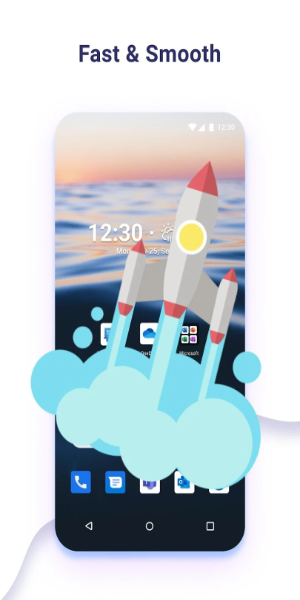
Elevate your Android experience with Microsoft Launcher, featuring a customizable home screen designed to boost productivity. Organize apps, check your calendar, and manage to-do lists from a personalized feed. Choose to start fresh or import your existing layout, and switch back easily if needed.
Features of Microsoft Launcher
Overview:
Microsoft Launcher is a versatile app that enhances your Android experience with a highly customizable home screen. Its rich feature set delivers a productive and visually appealing interface. Discover its key highlights and usage tips to maximize your smartphone potential.
Key Highlights
- Customizable Icons:
- Stunning Wallpapers:
- Dark Theme Support:
- Backup & Restore:
Tailor your device's look with custom icon packs and adaptive icons. Microsoft Launcher helps you create a consistent, unique aesthetic that reflects your personal style.
Daily refreshes from Bing provide visual inspiration, or select your own photos to craft an engaging, personalized home screen.
Reduce eye strain and improve readability at night with Microsoft Launcher’s dark theme. It syncs seamlessly with Android's system-wide dark mode for a comfortable viewing experience.
Easily move between devices or experiment with new layouts using the hassle-free Backup and Restore tool. Transfer settings and customizations to local storage or cloud accounts for convenient access anytime.
User Tips
- Master Gestures:
- Leverage Accessibility Permissions:
- Boost Productivity with Integrations:
Navigate your home screen effortlessly with intuitive gestures like swipe, pinch, and double-tap to quickly access apps and features.
Use the optional gesture controls for locking the screen or viewing recent apps via Microsoft Launcher's Accessibility Service Permission. This streamlines interactions and improves usability.
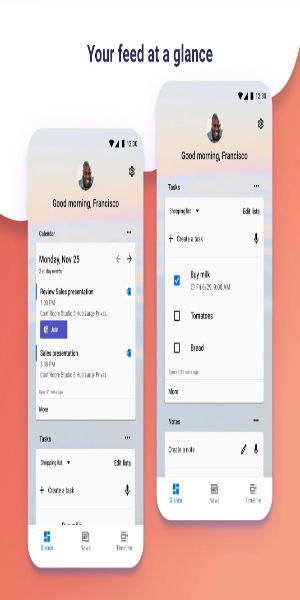
Harness Microsoft services like Bing Search, Bing Chat, To Do, and Sticky Notes using speech-to-text features with microphone permission. Keep track of schedules via the Calendar card and dial contacts effortlessly with a swipe using Phone permissions.
Design & User Experience
Fully Customizable Home Screen
Maintain full control over your layout by arranging apps and widgets to match your preferences. This flexibility ensures a tailored experience that suits individual workflows.
Dynamiс Personalized Feed
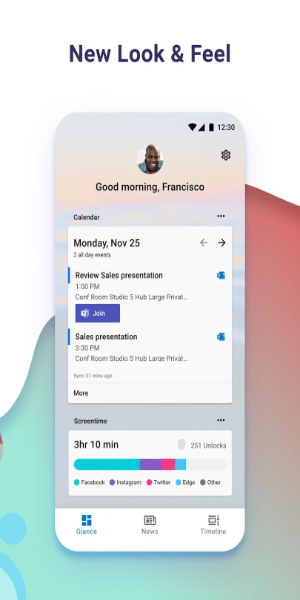
Stay informed at a glance with a dynamic feed displaying calendar events, task lists, and other key details directly on the home screen, reducing the need to switch apps.
Built-in Sticky Notes
Capture quick reminders or important notes instantly using the integrated sticky notes feature. This tool keeps essential information accessible, enhancing daily productivity.
Smooth Setup & Migration
Begin with a clean slate or import your current home screen configuration for a seamless transition. Enjoy minimal disruption while preserving your preferred setup.
Hassle-Free Reversion
Easily switch back to your previous layout at any time, giving you full control over your interface and ensuring peace of mind during customization experiments.
Screenshot
Reviews
Apps like Microsoft Launcher












Trending apps







Top News




Latest Apps